Parallel work on cloud projects — isolation, commits, review, promotion.
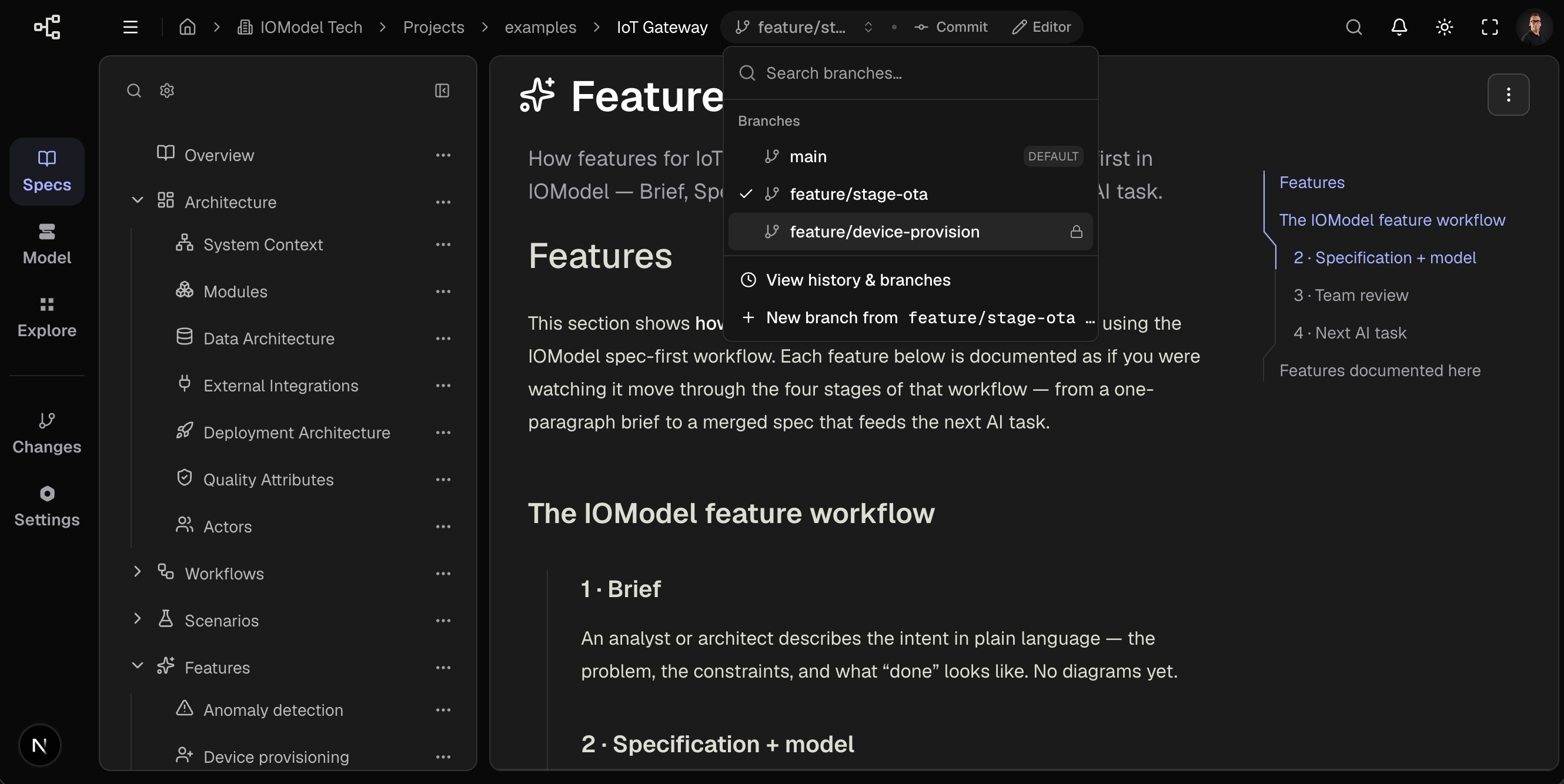
On cloud projects, main should remain reviewed canonical state. Branches provide isolated working copies and commit history so contributors can work in parallel without conflicting edits on the default branch. Branch workflows on cloud projects require a plan.
Cloud projects hosted in Studio only. Git projects use repository branches.
In this group
Branch Basics
Commits, working copies, promotion workflow.
Create and Switch Branches
Switcher operations, branch types, archive.
Branch Naming and Strategy
Validation rules and naming conventions.
Use cases
- Isolate feature work from default branch until review
- Enable parallel development on separate working copies
- Preserve commit history for audit and rollback
Integration model
Branch like Git, then integrate visually in Studio. Standard workflow:
- Commit on the feature branch (or merge your personal working copy into Standard)
- Review the visual diff on Changes
- Merge into the target (Standard — yourself; Protected — via merge request and another editor’s review), or Set as default when approved
- Archive the feature branch
Reference: Merge in Studio.
Branch from current main and keep branches short-lived to simplify promotion
and access review.
Last updated on