Folders, org administration tabs, and workspace structure at scale.
The organization is the security and billing boundary for IOModel. All folders, projects, members, and groups belong to one org.
Every account gets a Personal organization at first sign-in — a limited, account-bound sandbox. An Organization (via New Organization) represents a real company or team with a custom alias, co-ownership, and full lifecycle control. See Personal Organization.
Add team organizations from the workspace menu (Organizations) — Create Organization.
In this group
Personal Organization
Account sandbox vs a company Organization — limits, ownership, when to create one.
Create Organization
Provision an Organization for a real company or team.
Organization Settings
Name, alias, custom domains, and subscription plans.
Teams and Access
Org, folder, and project roles; groups and least privilege.
Archive and Cleanup
Branch archive and project deletion.
Administration tabs
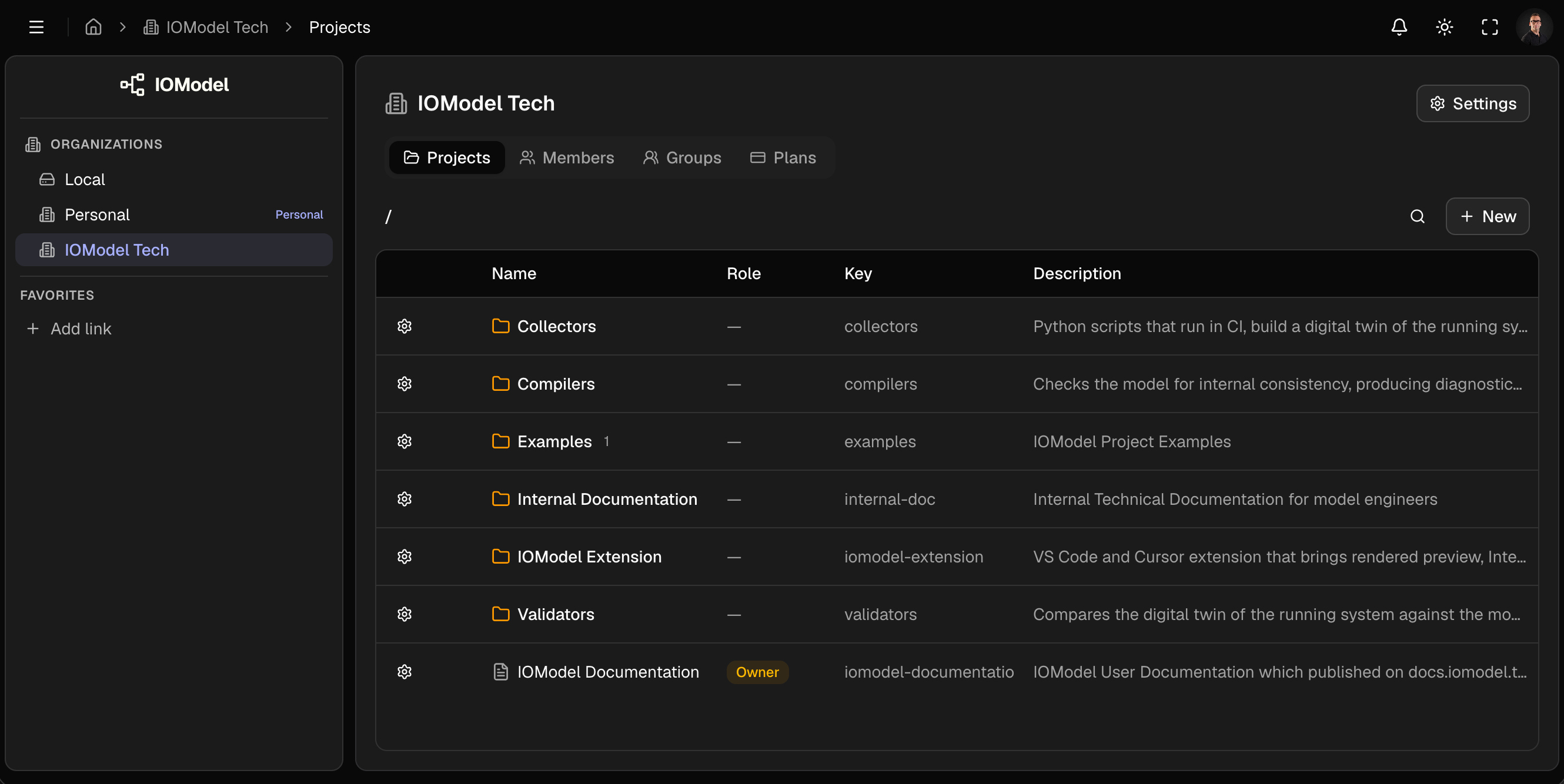
The organization home shows these tabs:
| Tab | Purpose |
|---|---|
| Projects | Folder tree; create, import, clone projects |
| Members | Org membership; roles org_owner, org_admin, org_member |
| Groups | Named collections for folder/project grants |
| Plans | Subscription and feature entitlements (same content as Settings → Plans) |
Day-to-day modeling occurs inside projects. The org home governs structure and access. Org metadata, DNS domains, and the settings copy of Plans live in Organization Settings (Settings in the header or workspace menu).
Org owners and org admins see every project on the Projects tab and have owner access to all of them — see Teams and Access.
Folders
Folders group projects by team, product, or domain. Projects may sit at org root or within folders (including nested folders).
Create a folder
- Projects tab → New → New Folder
- Name (1–35 characters) and Key (1–20 characters, unique within parent)
- Create
Folder access
Folder row → gear → Members. Grants apply to the folder and all contained projects unless overridden at project level.
Example: assign group data-platform as editor on folder examples — all members edit every project under that folder without per-project grants.
Name folders by domain or product (billing, edge-devices), not by
temporary org structure.
Limit nesting depth: two levels is usually sufficient for navigation and access review.
Structure
| Level | Contains |
|---|---|
| Organization | Folders, root projects, members, groups |
| Folder | Projects, child folders |
| Project | Model, specs, artifacts, members, branches |
Next: Create Organization.
Last updated on