Keep models and specs in a Git repository — either as the source of truth, or synced to a cloud project.
IOModel connects to GitHub in two distinct ways. Which one applies depends on the project type.
A Git-project is its repository. project.yaml, models/, and specs/ are plain files, so GitHub is the system of record — versioning, branches, and pull requests are standard Git. No separate sync runs.
Git-project: repository is the source of truth
| Aspect | Behavior |
|---|---|
| Source of truth | Files in your Git repository |
| Versioning | Standard Git commits and branches |
| Review | Pull requests on model and spec files |
| Editing | IOModel IDE extension, alongside code |
Lay out the project
Arrange project.yaml, models/, and specs/ per the Git Project layout.
Commit and push with Git
Use your normal Git flow for history and branches.
Edit in the IDE extension
Open models and specs with live feedback next to the code.
Review in pull requests
Push branches and open PRs as usual — see Pull Request Review Flow.
Cloud project: Git sync
Each cloud Standard or Protected branch links to a Git branch through a branch sync link. Collab and temporary branches are never synced — Git branch patterns (*, features/*) only attach to team-visible merge-only branches of the same name.
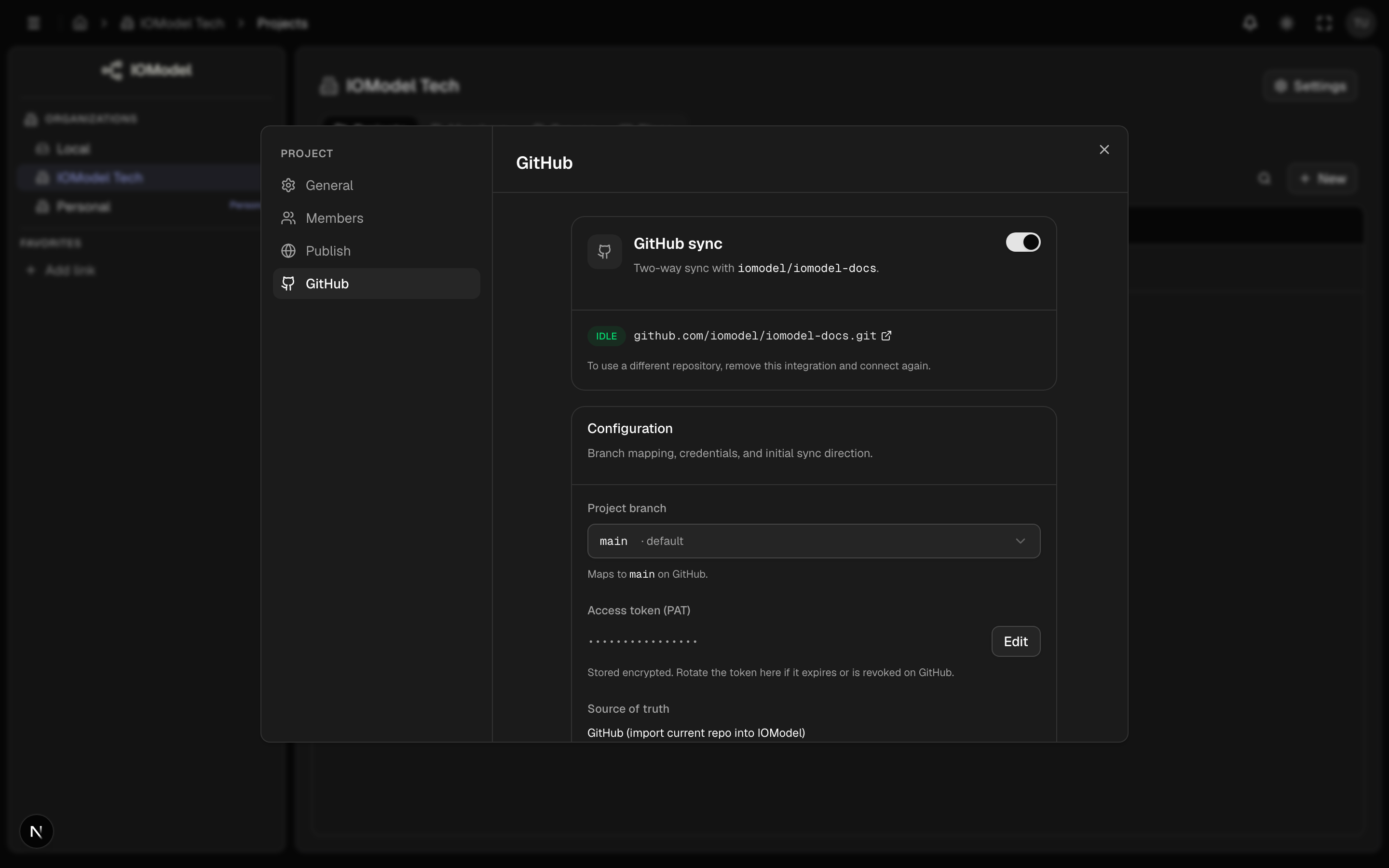
| Setting | Meaning |
|---|---|
| Repository URL + token | Target repo (GitHub or GitLab, including self-hosted GitLab) and a token (stored encrypted) |
| Source of truth | IOModel (push current state to git) or the git host (import the repo into IOModel) |
| Branch links | Map each IOModel branch to a Git branch |
| Status | idle, syncing, conflict, problem, or error per branch |
Sync runs on a polling interval: new IOModel commits are pushed to the linked Git branch; new Git commits are imported back as IOModel commits.
The snapshot that leaves Studio is the full tree: specs, model YAML, and binary attachments (_attachments/, handbook images, other binaries). A file is treated as binary by its contents, not by its path. Git LFS is not supported — if the repo uses LFS, sync stops with an error instead of storing pointer files as if they were the real bytes.
Branch link status
Each branch link reports idle, syncing, conflict, problem, or
error. A conflict pauses sync for that branch until the divergence is
resolved — see Conflict Resolution. A
problem means the imported tree could not be written back unchanged; fix
the tree before the next tick.
Setup details
For connecting a repo, the import wizard, and token setup, see GitHub Connection.
Treat architecture like code: same repo, same branches, same review. For cloud projects, Git sync gives you that without leaving Studio to edit.
Last updated on